

One week with Claude Code automating my desktop taught me more about my own workflow than years of optimization
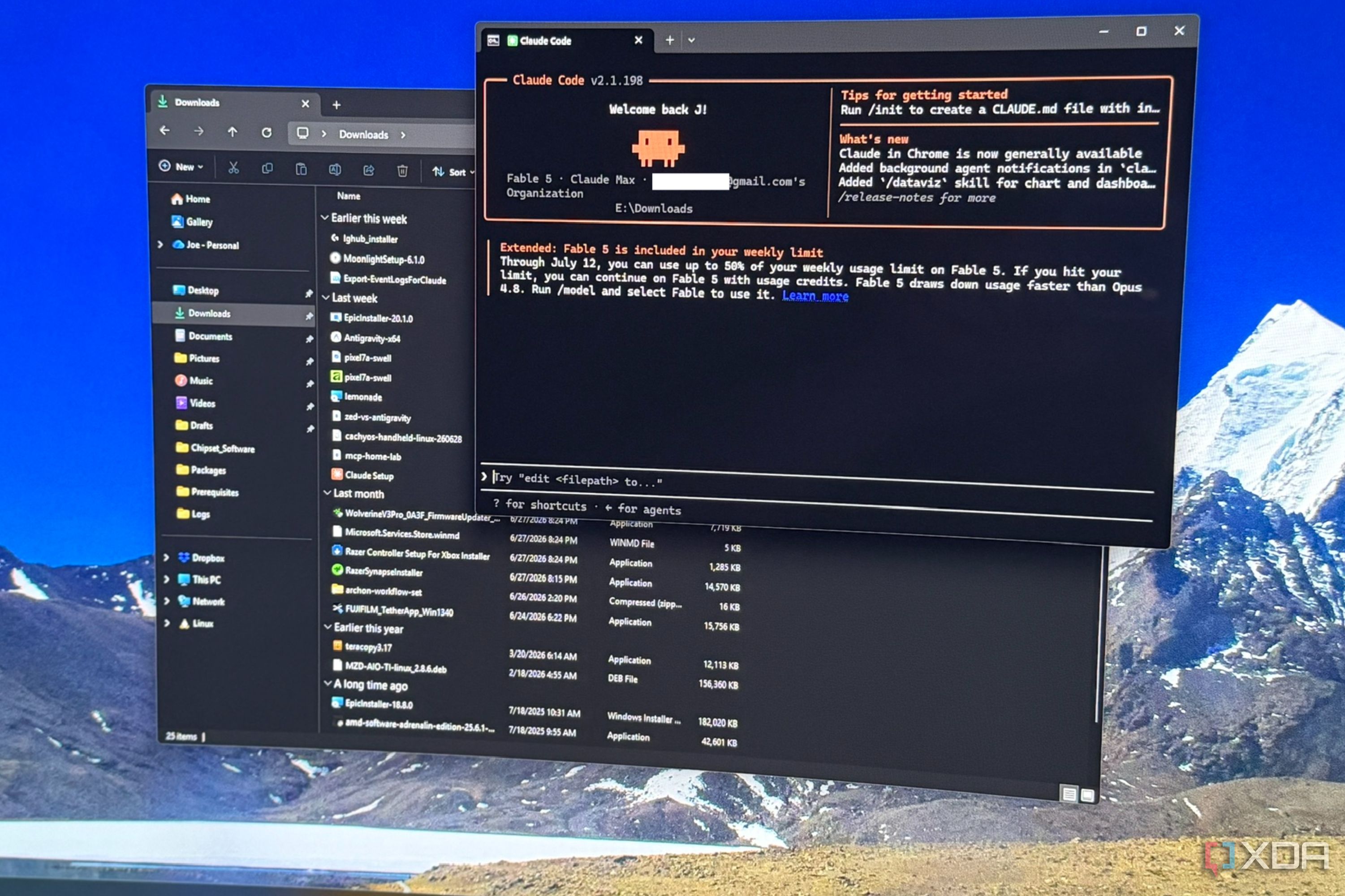
I write about automation for a living, and my shameful secret is that my Windows 11 desktop PC is a digital mess. I was hoping Windows 11’s new AI agents could do the work for me, but they don’t work on my desktop as it’s limited to Copilot+ PCs. The scale of the issue is why I never got around to doing it manually, with years of screenshots, downloads, and a startup list that grows every time I write about a new piece of software. So I did the smart thing and gave Claude Code the job of babysitting my digital life for a week. It did such a good job that I’m keeping the prompts it came up with and using them with my local LLM, and now my PC resembles a much more organized person’s idea of good. Sure, most of this could be handled by a PowerShell script or three, but scripts can’t look at a file and decide what it is and where it should go, and that’s the whole point.
Related
I set up Claude Code the way its creator does, and the difference is night and day
Who better to learn from than the person who made it?
Handling everything that lands on my PC
Clearing out my Downloads folder was just the start
Every desktop chore conversation starts with the Downloads folder, and that’s where I started too. Sorting by extension is table stakes, and PowerToys and tools like File Juggler does this well. However, that makes it look like things are sorted, when the real story is that the mess is just slightly more organized. Claude Code will open things like PDF files and read them so it can classify, rename, and file away where they need to be for future use.
I’ll be sharing my prompts along the way. If you see placeholders for folder names or other parts, edit those to suit your computer’s configuration. Not every part of the prompt goes into your LLM’s chat, use the parts between the “` punctuation, and the rest of the message is instructions for you.
## 1. Downloads triage by contentStart Claude Code in your Downloads folder.“`Go through every file in this folder. For anything with a generic or ambiguousname (document(4).pdf, download.zip, invoice.pdf, untitled files), open andread it to determine what it actually is. Propose a rename and a destinationfolder for every file based on its CONTENT, not its extension. Categories:hardware datasheets/manuals, article assets, software installers, personaldocuments, media, archives.Do NOT move or rename anything yet. Write your full proposal to_triage-plan.md with columns: current name, proposed name, destination,one-line justification, confidence (high/medium/low). I’ll review it andthen tell you to execute.“`Follow-up after review: `Execute _triage-plan.md, skipping the rows I marked with an X.`
Once the backlog was clear, I had Claude write a small routing prompt that I could run every day to keep that folder clear. New files get classified and moved to the relevant folder, whether that’s ISO files to my NAS or PDF files to the relevant article research folder. It’s cron job but with opinions, and that’s perfect for my workflow. This got turned into a Skill for Claude, but also saved as route-downloads.md so I can use it in other agents. Check this Downloads folder for files added in the last 24 hours. Classifyeach one and move it: ISO/IMG files go to \\NAS\\isos, datasheetsand PDFs related to hardware go to \if you can identify one (read the file to check), installers (.exe/.msi) goto .\_installer-quarantine with today’s date prefixed to the filename, andanything you can’t classify confidently stays put with a note in_unsorted-log.md explaining why.Also: delete anything in _installer-quarantine older than 7 days, but listwhat you’re deleting first and wait for my confirmation. The other thing I got Claude to do was organize and rename my tax receipts. As a freelancer, I’ve got a sprawling folder for each year’s taxes, and none of the receipts are ever named accurately. It reads each invoice, pulls the vendor and date from the document contents, and renamed everything into a consistent scheme. Fantastic for next year’s tax season.
Related
Forget Alfred or PowerToys Run, the new PowerToys Command Palette already does everything
It’s everything PowerToys Run was supposed to be.
Cleaning up the rest of the existing mess
My startup list was a laundry list of bad decisions
Intake is one thing, but Windows 11 also accumulates junk everywhere else. My startup tasks had tools I never use anymore, orphaned entries that didn’t uninstall correctly, and a helper service for a printer that I don’t even own anymore. I asked Claude Code to read my startup entries, scheduled tasks, and auto-starting services, then explain what they all were, and flag the ones that didn’t need to be there. Run from an elevated session so it can read scheduled tasks properly.“`Audit everything that starts automatically on this Windows 11 machine:registry Run/RunOnce keys (HKLM and HKCU), the Startup folders, scheduledtasks set to trigger at logon or boot, and services set to Automatic.For each entry, tell me in plain English: what it is, what software itbelongs to, whether that software appears to still be installed, and whetherit needs to run at startup for that software to work properly. Give each averdict — keep / safe to disable / probably orphaned — with a confidencelevel and your reasoning.Output the whole thing as a table in startup-audit.md. Do not disable ordelete anything.“`Follow-up: `Disable the entries I’ve marked, using the least destructive method for each (disable, don’t delete), and tell me how to revert each one.`
Time to figure out what was eating all my disk space
Then it was the turn of some disk forensics. Apps like WizTree tell me what is big, but Claude Code can tell me why it’s big and, crucially, why I still need it. It walked my drive trees and surfaced stale VMs from experiments that I abandoned and forgot to clean up, and a few installs of LLM servers with the associated models that I don’t run anymore. “`Walk C:\ (and D:\ if present) and find the largest space consumers, but Idon’t just want sizes — I want to know WHY each one is big and whether Istill need it. Specifically hunt for: VM disk images (.vhdx, .qcow2, .vmdk)and check when they were last modified, LLM model files (.gguf, .safetensors)and flag any that look like older versions of a model I have a newer quantof, node_modules folders in projects untouched for 90+ days, old installercaches, and WSL distro VHDs.Group everything into a deletion plan in disk-forensics.md with three tiers:”definitely dead” (with evidence), “probably dead” (with what you’d check),and “ask Joe first”. Include the space reclaimed per tier. Do not deleteanything.“` Claude gave me a deletion plan grouped around confidence, from “definitely dead” to “ask Joe first.” I only had to veto a couple of things on the list, and that’s better than manually going through each large folder. I should be clear, I didn’t let Claude Code have full rein to delete things. The agentic tasks were designed with a dry run first, and explicit approval by me for anything that removed data. Agentic doesn’t have to mean unsupervised, and that makes all the difference.
Related
4 Windows 11 startup apps I disabled to instantly speed up my PC
One bold move to instantly speed up an aging PC
The one job that Claude Code did better than me
Renaming screenshots is a game-changer
I know I’m never going to manually name and organize my screenshots folder. Most of the time it’s a double of the images I’ve used because things go straight into an image editor. But every so often I need something out of the mess, and trying to find the screenshot when they’re all named based on time of creation is a task I hate. I’d rather go and recreate things and take a new screenshot. Claude Code fixed it in one session. Because it can actually look at the image, I asked it to work through the backlog in batches of 20 and rename them descriptively. Screenshot 2026-06-25 231250.png turns into claude-code-rearranging-download-folder.png, and so on. Then it sorted them into folders based on the articles they belonged to. “`This folder contains hundreds of screenshots with timestamp names. Workthrough them in batches of 20. For each batch: look at every image, andpropose a descriptive kebab-case rename based on what’s actually shown —name the application, the specific screen or dialog, and any error ornotable state (e.g. technitium-dns-zone-records.png,proxmox-lxc-console-error.png). If you can tell which of my article topicsa screenshot belongs to, also propose a destination subfolder named forthat topic; use the file date as a secondary clue.Write each batch’s proposals to _rename-batch-NN.md and STOP for myapproval before touching files or starting the next batch. If a screenshotis too generic to name confidently, say so and proposeunknown-NN-.png rather than inventing a specific name.“`
The workflow was so simple I’m annoyed I didn’t do this last year. Claude Code did such a good job batching that I changed it to run the entire folder at once, and it applies the screenshot names after I’ve skimmed the list. It’s not entirely flawless, some shots got generic names like settings-page.png when the context wasn’t clear, but that’s a very small percentage of the hundreds of screenshots in the folder. The other thing is that vision-based renaming burns tokens like a bonfire, so you’ll probably want to do this with a local LLM instead. But the alternative was these screenshots never being organized, until I need OneDrive storage space and I delete the folder.
Related
This file renaming tool makes it much easier to organize my files
PowerRename is a hidden gem
It’s hard to automate jobs that require a judgement layer
I started this week expecting Claude to come up with scripts to add to Task Scheduler and ended up with a digital intern to handle the tasks I never get around to doing. The problem with every time I’ve tried to automate these tasks is that I still have to go and re-organize things afterward, because scripts do what you tell them, and Claude Code can handle more ambiguous tasks. Now I run a handful of prompts a week, read the recommendations that the AI makes, and choose which parts to allow. And yes, you don’t need to use Claude for this, a local LLM is powerful enough to handle the tasks, though it might take a little bit longer.
Diterbitkan : 2026-07-09 11:30:00
sumber : www.xda-developers.com