

My cheap mini PC does what every streaming box refused to let me do
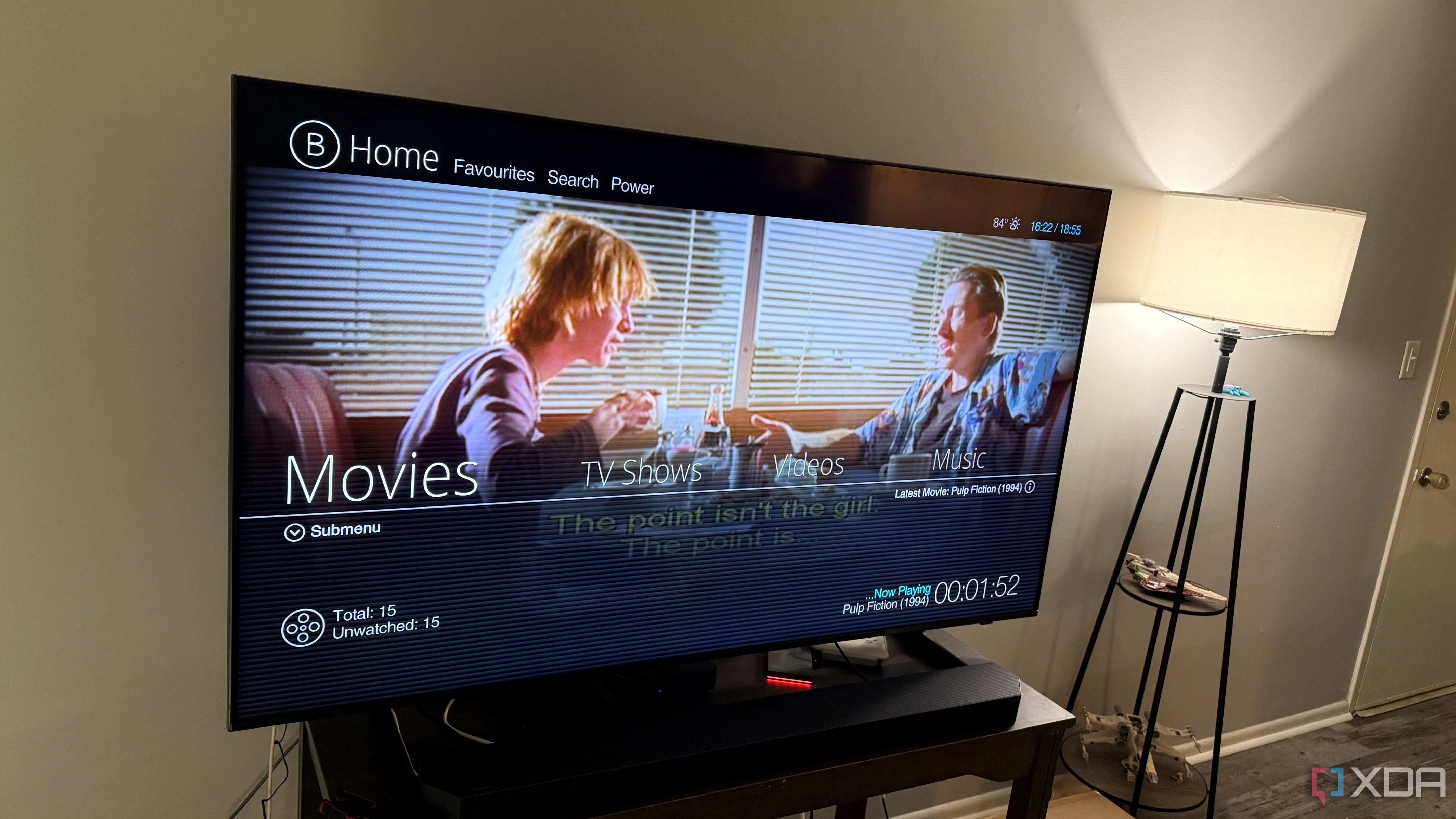
I used to think the right streaming box was always one purchase away. I tried the polished ones, the cheap ones, the ones with great remotes, and the ones that promised every app I could possibly need. Each had something I liked, but there was always some weird compromise waiting for me once I started using it every day. The hardware usually wasn’t bad, but the control never really felt like mine.
With a cheap mini PC, I could decide what mattered instead of working around someone else’s limits.
That started to bother me more as my media setup got less basic. I wasn’t just opening Netflix and calling it a night anymore. I had local files, Jellyfin, Infuse, network shares, odd audio formats, and apps that behaved differently across devices. Eventually, I stopped looking for the perfect streaming box and turned a cheap mini PC into the one I actually wanted.
Related
4 reasons why you should turn your old PC into a media streaming box
Your old Pc has more to offer than you may believe.
A cheap mini PC gave me control streaming boxes never did
The best part was not fighting the device anymore
The whole appeal of a streaming box is supposed to be simplicity. You plug it in, sign in to your apps, and stop thinking about the hardware. That’s great when your setup is simple, and I’m not going to pretend otherwise. It gets irritating, though, once your needs drift outside the tiny lane the device maker planned for you. With a cheap mini PC, I could decide what mattered instead of working around someone else’s limits. I could choose the operating system, apps, browser, media player, and storage layout. I didn’t have to wait for a platform owner to approve an app or decide whether a codec deserved proper support. I could install the software I wanted and actually reach the settings I needed. The biggest change was how much easier it became to handle my own media. Local files, network shares, external drives, and self-hosted libraries all felt more natural on a mini PC than they ever did on a dedicated streaming device. I wasn’t digging through vague app menus or wondering whether the box simply refused to do something. When something broke, I had actual tools instead of a settings screen that shrugged at me.
The hardware does more than stream video
A small computer can handle several living room jobs
Most streaming boxes are built around a narrow idea of entertainment. They launch apps, decode video, pass audio to your TV or receiver, and maybe run a few casual games. That’s enough for a lot of people, and I get why those devices are popular. A mini PC can do those things too, but it doesn’t have to stop there. Even a modest mini PC can turn into a handy living room hub. It can run a proper browser, handle media apps, play files from a NAS, manage downloads, run lightweight server tools, or work as a quick desktop when I need one. I’m not saying every living room needs a computer under the TV. I’m saying I’d rather have one flexible box than keep adding limited little devices every time I run into a new problem. There’s also something satisfying about not treating the hardware as disposable. Streaming boxes can get frustrating when software support slows down, storage feels cramped, or the manufacturer moves on to the next model. A mini PC still ages, of course, but it ages like a PC, which means I usually have options. More RAM, a larger SSD, a different operating system, or a cleaner app setup can keep it useful long after a typical streaming device starts to feel boxed in.
A mini PC is not always the easiest answer
The setup asks more from you at first
The obvious drawback is that a mini PC isn’t as effortless as a normal streaming box. I don’t want to dress this up too much because it takes more effort. A Roku, Apple TV, Fire TV, or Google TV device is usually easier to explain to a guest or family member. Hand someone a remote, point at the apps, and the whole thing makes sense almost immediately. A mini PC asks for more decisions before it feels finished. You have to think about startup behavior, input devices, display scaling, HDR, audio output, sleep settings, updates, and whether the interface works well from across the room. Some of that can be fixed with launcher software, a wireless keyboard, a good remote, or a little automation. Still, it takes more patience than opening a box and signing into your accounts. There are app and DRM issues to think about too. Some streaming services treat browsers and desktop apps differently from dedicated TV hardware, especially when it comes to resolution, HDR, or surround sound. That can make a mini PC feel powerful in one area and oddly limited in another. If your top priority is guaranteed support for every major streaming app in the cleanest possible format, a dedicated streaming box may still be the safer buy.
A cheap mini PC can make a great streaming box, but it won’t feel polished until you tune it for the living room. Set it to launch your preferred media app or launcher on startup, disable unnecessary sleep behavior, check HDR and audio passthrough settings, and make sure your remote or wireless keyboard works reliably from the couch. The hardware can do more than most streaming boxes, but the experience depends on how much effort you put into making it feel easy to use.
The trade-offs are worth it for the right setup
Control matters more once your media setup grows
That said, the mini PC approach starts making a lot more sense once your setup grows beyond the basics. If you care about local media, file compatibility, network storage, custom software, or using one box for several living room jobs, the extra setup starts paying off. You’re not buying convenience in the usual plug-and-play sense. You’re buying room to make the device behave the way you want.
The trick is not treating the mini PC like a regular streaming box. If you expect it to feel the same, it’s probably going to annoy you. It works better when you accept what it is: a small computer tuned for the couch. Once I set mine up around my actual habits rather than trying to copy a retail streamer, the whole experience felt much better. That also means the cheapest possible hardware isn’t always the smartest move. You don’t need a gaming rig, but you do want decent video output, enough storage, reliable Wi-Fi or Ethernet, and enough power to avoid basic interface lag. A small Intel N100- or N150-style system can be plenty for many living room setups, depending on what you expect it to do. The goal isn’t raw power; it’s avoiding another device that feels limited the moment your needs change.
Building your own streaming box makes sense now
A dedicated streaming box is still the better choice for many people. If all you want is a clean interface, a good remote, and the major apps in one place, there’s no shame in buying the simple thing. I still understand the appeal of a polished device that sits quietly near the TV and rarely asks for attention. Not every setup needs to become a weekend project. But I’m done chasing the perfect off-the-shelf streamer for my own living room. The mini PC route gave me more control, more flexibility, and fewer dead ends when something didn’t work the way I wanted. It took more setup, but it also stopped making me feel like I was waiting for someone else’s hardware roadmap to match my needs. For anyone with local media, self-hosted services, or a growing pile of small entertainment annoyances, building your own streaming box with a cheap mini PC might be the better move.
CPU
Intel Alder Lake N150 (up to 3.6GHz)
Graphics
Intel UHD
Memory
16GB
Storage
512GB NVMe SSD
Display
1x HDMI 2.0, 1x DisplayPort 1.4
This mini PC can make an excellent streaming box for your entertainment system.
Diterbitkan : 2026-07-10 19:30:00
sumber : www.xda-developers.com