
Your budget motherboard is throttling your expensive CPU, and you won’t notice until it’s too late
Summary
Budget motherboards work for mid-range CPUs but can throttle high-end chips under sustained loads.
VRMs, power stages, and heatsinks—not RGB—determine whether a board sustains flagship CPU performance.
Buy a board matched to future CPU plans; spending a bit more now saves replacing it later.
Building a gaming PC has been a pretty straightforward affair for quite a while now. All you have to do is pick the best GPU in your budget, pair it with a capable processor, grab the cheapest motherboard that supports that CPU, and you’re good to go. The RAM, PSU, and storage simply fall in place. Everybody goes into the building process believing that motherboards don’t affect gaming performance, which is why they rarely spend more than they need to on one. Now, for most builds, that thought process is genuinely reasonable, but it does come with a tiny asterisk that slips under the radar. It’s when you step into the world of high-end processors that you realize your budget motherboard is actually the weakest link in your entire system. You’ll slowly come to grips with this reality when the motherboard begins robbing your new, expensive CPU of the performance you paid for, and it’ll even make you suspect the rest of your components first. This is a rather expensive lesson, too, and one that far too many builders only learn after it’s too late.
Related
Modern CPUs barely change anymore — your motherboard features matter more than ever
Choosing the right motherboard might be more important than picking a high-end CPU
Cheap motherboards aren’t “slow,” they’re just built for cheaper CPUs
A Ryzen 5 isn’t the same workload as a Ryzen 9
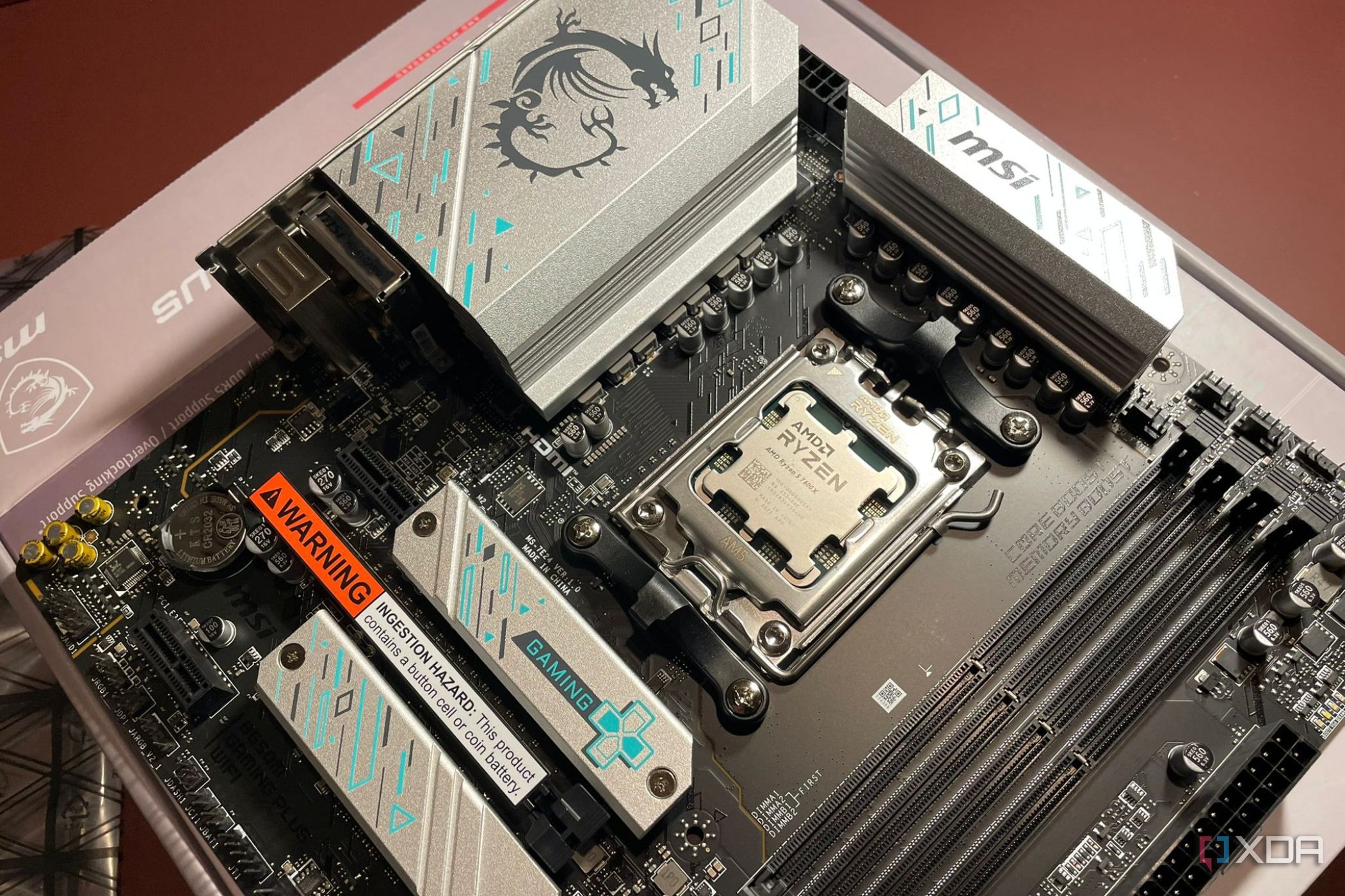
Over the years, budget motherboards seem to have gained a bit of an unfair reputation. You’ll almost always find folks in enthusiast forums and subreddits dismissing entry-level motherboards and deeming them garbage. However, there’s nothing inherently wrong with these chipsets. They’re just built with a different, non-enthusiast crowd in mind. So, if you’re building your system around a Ryzen 5 or Core Ultra 5 CPU, then a well-designed budget motherboard has everything you need day in and day out. The problem arises when builders assume that if a CPU socket is compatible with a motherboard, then it will automatically translate to identical performance. Sure, an A620 entry-level motherboard will boot up a flagship AM5 Ryzen 9 CPU, but that in no way means that it’s actually equipped to feed it hundreds of watts under sustained workloads. After all, the biggest difference-makers between budget and premium motherboards are the VRMs, chokes, and heatsinks, even if they might be on the same chipset.
Related
3 reasons why your VRM temperatures matter, and how to check them
The silent X-factor behind your system’s thermal performance
The problem will only appear when your CPU is under real load
Gaming hides the issue, but rendering and compiling can expose it
One reason that a lot of builders actually “get away” with pairing hot CPUs with budget motherboards is that even under the heaviest gaming loads, the problem rarely affects them, if at all. Most modern games still don’t keep every core pegged at 100% for hours on end, and that includes even the latest AAA titles. In fact, GPU bottlenecks are a lot more common, which leaves plenty of breathing room for the processor, and, consequentially, the motherboard’s power delivery system. That’s why your new build might appear to be perfectly healthy after weeks of gaming. However, load up the first demanding productivity task, and the illusion falls apart. It could be something as simple as exporting a 4K video, or compiling a large Unreal Engine project, or even running a local AI model, and that’s when you’ll see your CPU wanting to sustain well over 200 watts for minutes at a time, which is where weaker VRMs begin to show their limits. When the temperatures climb around the power delivery components, the motherboard reduces power to protect itself. In practice, nothing obvious would appear to be wrong outright. Your CPU temperatures would remain well within safe limits, and your cooler would also be performing as well as it should. Even Windows won’t throw up error messages explaining what’s going wrong behind the scenes. However, when your expensive CPU is trying to go all guns blazing but is limited to a budget motherboard with cheap VRMs, what you will notice are lower clock speeds, and longer compilation times. That’s when most folks begin pointing fingers at the BIOS, the thermal paste or cooler, the drivers they have installed, or even the CPU itself, all before anyone suspects the motherboard sitting underneath it all.
Related
Stop believing these 6 PC hardware “rules” in 2026
Not every PC hardware tip needs to be adhered to forever
Features may sell motherboards, but it’s power delivery that keeps CPUs fast
RGB, Wi-Fi, and PCIe 5.0 don’t tell the whole story
As someone who builds the occasional PC for clients or family, shopping for a motherboard today genuinely just feels like an exercise in comparing feature checklists, where VRMs and MOSFETs never enter the conversation. All anyone thinks about is PCIe 5.0, Wi-FI 7, USB4, and enough RGB headers to light up the entire block. Sure, these are genuinely useful additions, but they’re also the easiest specs to print on the brochure and bring in buyers. Sadly, VRM heatsinks, high-quality power stages, and thicker PCB layers with better thermal design never become part of the conversation. However, these are the actual components that justify the price difference between two seemingly similar boards. That’s precisely why motherboard reviewers spend so much time measuring VRM temperatures, because they know that these hidden differences directly affect how consistently a high-end CPU can perform. That’s why it’s never a good idea to compare motherboards solely by their feature lists. A B650 and an X870E board could very well offer nearly identical connectivity, but they will behave very differently once you pair them with a flagship processor. The premium motherboard would happily sustain boost clocks throughout extended workloads, but the other would gradually dial things back, since it’s not equipped for anything like a Ryzen 9 990X3D. That’s the story the spec sheet will never tell you but the power delivery absolutely will.
Related
3 things I wish I knew before I filled every M.2 slot on my motherboard
All that extra storage comes with trade-offs.
Buying the right motherboard is never about spending more
Match your CPU and save money where it actually makes sense
I’m not trying to make an argument for buying the most expensive motherboard you can afford. Doing so would be just as wasteful as overspending on any other component. A Ryzen 5 9600X, Core Ultra 5, or similar mainstream processor will perform extremely well on many budget and mid-range motherboards because those CPUs just don’t place the same sustained demands on the VRMs. That’s why spending extra hundreds of dollars on an enthusiast motherboard won’t magically make your regular CPU faster. Where you should reconsider your budget, however, is when you’re investing in a processor designed to push power limits for extended periods. If you’re buying an AMD Ryzen 9, Intel Core Ultra 9, or another flagship chip with serious multi-core ambitions, the motherboard stops being little more than an I/O hub. That’s when it becomes an essential part of the performance equation, responsible for supplying clean, stable power to the CPU hour after hour, without overheating or throttling.
A good motherboard preserves the performance you’ve already paid money for. The right pairing ensures that your processor can stretch its legs today, while also leaving enough electrical and thermal headroom for tomorrow’s workloads, BIOS updates, and increasingly demanding software. That’s a far better investment than replacing an underpowered board after discovering it’s been holding your CPU back all along.
9/10
Memory Slots
4
Memory Type
DDR5-8400+
Form Factor
ATX
Wi-Fi
Wi-Fi 7
MSI designed the MPG X870E Carbon WiFi to be easier to work with when building a PC. You’ll find plenty of handy features, beefy power delivery, USB 4.0, and faster RAM speeds. It’s a fantastic foundation that comes at a high asking price.
Related
7 worst purchase decisions to avoid when building a gaming PC
Some mistakes are minor, but these PC building purchase decisions are anything but
Buy for the processor you’ll own tomorrow
A little extra planning now can save you from leaving performance on the table later.
It’s rather ironic how the motherboard is one of the few PC components that people expect to outlive multiple upgrades, but it’s also the one that receives the least consideration during the initial build. When every extra dollar could go toward a faster GPU or a larger SSD, it’s worth remembering that replacing a motherboard later is rarely as simple (or inexpensive) as swapping almost anything else. Before settling on the cheapest compatible option, think beyond the processor you’re installing today. Consider the CPU you might upgrade to in two or three years, the workloads you expect to tackle, and whether your motherboard will still be able to support those ambitions comfortably. A little extra planning now can save you from leaving performance on the table later, making the motherboard one of the smartest long-term investments in your entire PC.
Diterbitkan : 2026-06-29 18:01:00
sumber : www.xda-developers.com