
Your budget 3D printer’s build plate matters more than you think
For years, budget 3D printers were mostly judged by the obvious things. We looked at speed, auto bed leveling, input shaping, app support, enclosure options, and whether the machine could print a respectable first model without rattling the whole desk. Those things still matter, and I’m not going to pretend they don’t. But lately, the build plate has started to feel like the part of the spec sheet that quietly changes the whole experience.
A larger build plate reduces the number of times you have to prove how patient you are.
That shift is easy to miss because build volume sounds boring until you run into its limits. A few extra inches on the X or Y axis don’t look exciting in a product photo, but they can change what you even bother trying to print. The printer stops feeling like a tool for tiny brackets, toys, and decorative experiments, and starts feeling more useful around the house. That matters even more in the budget space, where one practical advantage can make a cheaper printer feel far more capable than its price suggests.
Related
5 3D prints I actually use daily
Five practical 3D prints I rely on every day, from drawer organization to desk-friendly gear storage that actually sticks.
A larger build plate changes what budget printing feels like
Small printers make you think in compromises too often
A small build plate doesn’t just limit the size of individual prints. It changes your habits before the slicer even opens. You start looking at every model and mentally measuring whether it’ll fit, whether it needs to be split, or whether it’s worth the trouble at all. That little pause is where many useful prints quietly disappear. This is especially true for functional printing, where the useful version of an object often wants to be wider, flatter, or longer than a small bed allows. Drawer organizers, wall mounts, tool holders, storage trays, and appliance parts often don’t need much height, but they do need a footprint. A printer can have impressive acceleration and still feel limiting if half the useful objects in your house need to be chopped into sections. That’s where a bigger build plate starts to feel less like a luxury and more like permission. That’s also why recent large-format budget printers feel so interesting. Machines like the Elegoo Neptune 4 Plus, Elegoo Neptune 4 Max, Anycubic Kobra 3 Max, and Sovol SV08 are pushing well beyond the old comfort zone for affordable desktop printing. They’re not all the same kind of machine, and they don’t all appeal to the same buyer. But together, they show that bigger build areas are no longer reserved for expensive specialty printers.
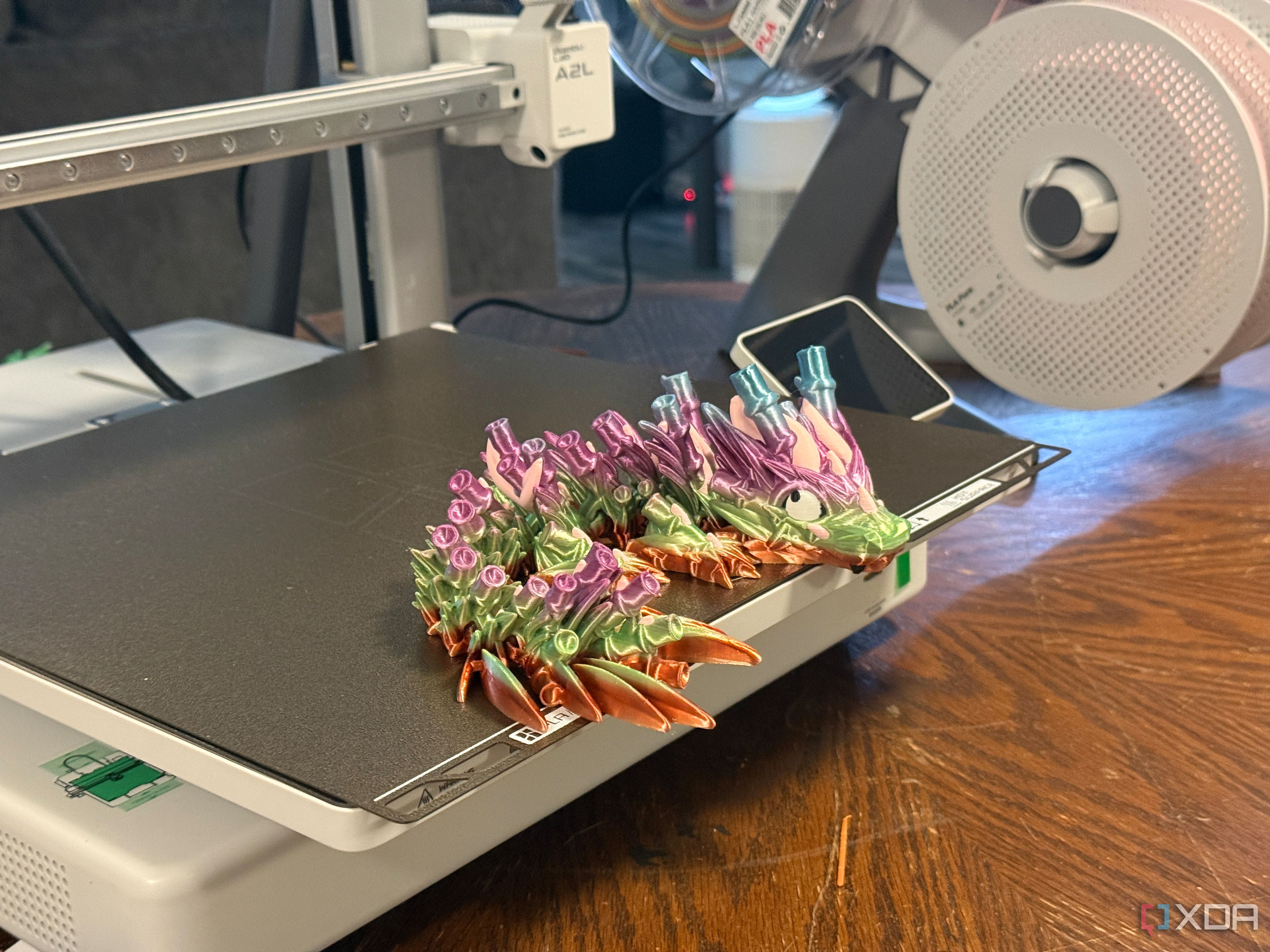
The Bambu Lab A2L sits in an interesting budget-adjacent space here. It may not be the cheapest large-format printer around, especially once you factor in Bambu’s broader ecosystem, but it still points in the same direction as the larger budget machines. More affordable printers are no longer competing only on speed, automation, or beginner-friendly software. The build area is becoming part of the value pitch, too.
The best upgrade is needing fewer clever workarounds
One bigger print can beat five carefully arranged parts
Splitting a model isn’t difficult, but it does add friction. You have to choose cut lines, add connectors, print multiple pieces, clean up seams, and hope the final part behaves the way you imagined. That can be fine for a display piece, but it gets old when you’re making something practical. A larger build plate reduces the number of times you have to prove how patient you are. That matters because budget printing is already full of small negotiations. You might accept slower print times, a louder frame, a simpler interface, or fewer premium material options. Those trade-offs are easier to live with when the printer still lets you make useful things in one piece. A larger bed can make an affordable printer feel less like a starter machine and more like a machine you’ll keep using after the novelty wears off. It also changes how you browse models. Instead of filtering your ambitions through the dimensions of a cramped plate, you can think more naturally about what would solve the problem in front of you. A cable tray can be long enough to be useful, a shelf bracket can remain intact, and a storage bin can be sized to fit the drawer rather than the printer. That’s a quieter kind of power, but it’s one you notice every week.
Size still cannot fix every budget printer weakness
A bigger bed can add new calibration headaches too
A bigger build plate isn’t automatically better in every way. Larger beds take more time and energy to heat, and they can expose uneven surfaces more clearly than smaller ones. They also make first-layer consistency more important because a slight leveling issue can appear differently across a wider area. When a budget printer stretches its dimensions without improving the rest of the machine, the result can feel ambitious in the wrong direction. There’s also the simple issue of space. A larger bedslinger needs room for the bed to move, and that footprint can be much larger than the build area suggests. That matters in an apartment, a shared office, or a workbench already cluttered with tools, filament, and half-finished projects fighting for space. A compact printer that fits neatly into your routine may be more useful than a larger one that constantly needs to be worked around. Print time is another reality check. Big plates invite big prints, and big prints can tie up a machine for a long time. Failed prints become more annoying because they waste more filament, more energy, and more patience. A larger budget printer can unlock new projects, but it can also make mistakes more expensive when the hardware or profile isn’t dialed in.
Bigger plates still change the value equation anyway
Even with those drawbacks, build area still deserves more attention in budget printer comparisons. The reason is simple: size affects what the printer can become after the first month. Speed is exciting during early testing, and app features are nice when they work smoothly. But once the printer becomes part of your actual routine, the question becomes whether it can handle the jobs you keep finding for it. That’s why the larger budget models stand out even when they aren’t perfect. A Neptune 4 Max or Kobra 3 Max isn’t just offering a bigger number on a product page. It’s offering a different kind of project list, where helmets, drawer systems, wide fixtures, and oversized organizers feel more realistic without immediately entering premium pricing. The Sovol SV08 pushes the same idea from a different angle, with a larger CoreXY-style machine that makes build area feel like part of a broader value pitch.
This doesn’t mean everyone should buy the biggest cheap printer they can find. The rest of the machine still has to be solid, and a sloppy large printer isn’t a bargain just because it has room to fail at scale. But when two budget printers are close in reliability, software, and print quality, the bigger build plate may be the difference that matters most. It gives you flexibility before you know exactly what you need it for.
The build plate is becoming the spec that matters later
The funny thing about build volume is that it rarely feels urgent during the buying process. New printer buyers tend to focus on speed, ease of use, automatic calibration, and whether the machine has a reputation for behaving itself. Those are valid concerns, especially when the goal is to avoid spending the first weekend chasing basic print quality. But once the printer works, the plate size starts shaping the projects you actually attempt. That’s why bigger build plates are becoming such an important budget-printer differentiator. They don’t replace reliability, good profiles, or sensible design, but they expand the printer’s usefulness in a way that keeps paying off. A larger bed can make a cheaper printer feel more capable, more practical, and less boxed in by its price. For budget printers, that might be the most meaningful upgrade of all.
Build Volume
330mm x 320mm x 325mm
Printing Speed
500mm/sec
Materials Used
PLA, PETG, and other non-engineering filaments
Brand
Bambu Lab
Max Hot End Temp
300C
Max Bed Temp
80C
There are less expensive options, but the additional capabilities of the A2L make it worth the extra cost.
Diterbitkan : 2026-07-03 23:01:00
sumber : www.xda-developers.com