
Your SSD has a free endurance setting most people never touch, and it matters more than ever
Summary
SSDs are now the hardest-working PC part; constant background writes and large files increase wear.
Overprovisioning gives the SSD controller breathing room to lower write amplification and extend endurance.
Sacrificing a small slice of capacity is free, simple to set up, and can improve long-term drive life.
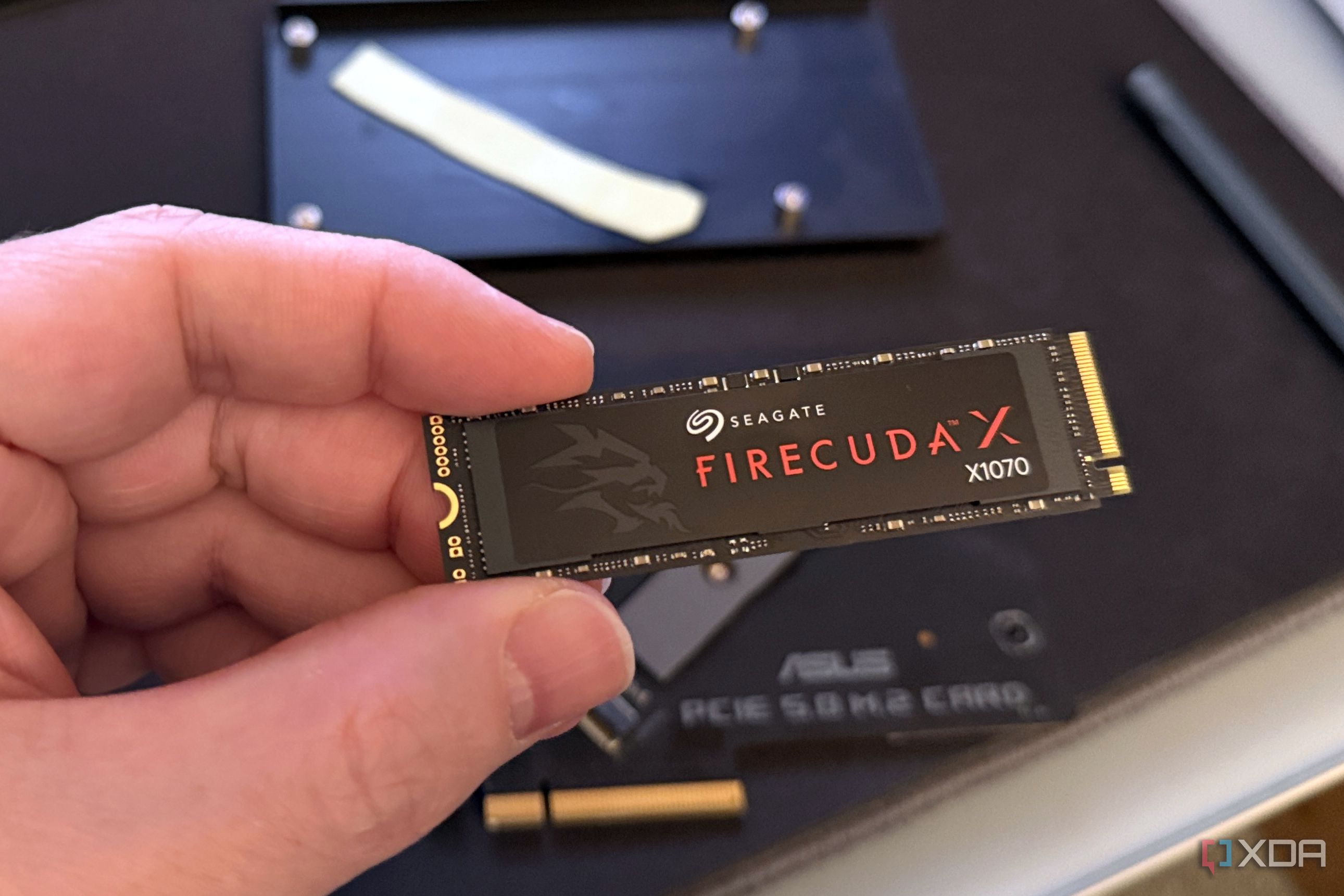
Before we knew it, solid-state drives genuinely became the most important component inside a modern PC. They might not be as expensive as a big, beefy GPU inside the case, but they’re certainly headed there. It’s the SSD that boots up our systems, runs our apps, and decides how long we look at loading screens. SSDs truly are the unsung heroes that keep everything moving, and they most definitely handle the largest amount of load every day, too. With SSD prices climbing straight into the skies over the past year, replacing one has become a far more expensive (and scary) proposition than it used to be. That alone is reason enough to look after the drive that stores your entire digital life. Our SSDs today are remarkably resilient, but they’re also working harder than ever before. The good news is that one overlooked setting can help them breathe a little easier, improve long-term endurance, and potentially save you a costly replacement years down the road. Plus, it won’t even cost a single cent.
Related
5 SSD myths that are simply untrue
Don’t fall for these common SSD misunderstandings.
Your SSD is doing far more work than it did five years ago
Modern workloads have turned storage into the hardest-working PC part
On the face of it, it’s easy to think of an SSD as something that only springs into action when you’re copying files or installing Windows, but that’s no longer how modern PCs work. Your drive is constantly juggling background tasks that most people never even notice. Windows writes logs and updates in the background, browsers build enormous caches, games download multi-gigabyte patches every other week, and creative applications generate tons of temporary files that come and go in the blink of an eye. If you’ve jumped aboard the local AI train like I have, you’re also probably downloading, deleting, and swapping around large language models that are tens of gigabytes in size. Now, today, SSDs themselves have become remarkably durable, but that’s only half the story here. The amount of data they have to shuffle around internally has absolutely exploded over the past few years. Installing a single AAA title can involve writing well over 100GB in one sitting, and that’s before the inevitable day-one patch, shader compilation, or subsequent updates arrive. The write workload is immense, even if you don’t notice it happening. That tiny stick of silicon is effectively running your entire PC every single day. That’s exactly why treating it like a disposable component doesn’t make sense at all today, especially when replacement drives have become eye-wateringly expensive. Depending on the model, buying the same capacity SSD today can cost two or even three times what it did just last year. As such, unless you enjoy setting money on fire, taking a few simple steps to reduce unnecessary wear is one of the smartest things you can do.
Related
SATA SSDs are cheaper, fast enough, and the only drives I’m buying
I’m buying them until they disappear completely
Overprovisioning is basically free insurance for your SSD
Giving your SSD a little breathing room lets its controller do a much better job
Overprovisioning sounds like one of those intimidating storage terms reserved for enterprise servers and IT administrators, but the concept is pretty simple. It’s like you’re trying to organize a garage that’s packed wall-to-wall with boxes. Every time you need to move something, you’ll first need to shift half a dozen other boxes just to create enough room to work. Just a single empty corner in such a garage could do wondering, and that’s exactly what SSD overprovisioning is. It makes everything much easier to rearrange. Behind the scenes, your SSD’s controller is constantly moving data around to spread wear evenly across the NAND flash, clean up stale blocks, and prepare empty space for future writes. Giving it additional unused capacity means it has far more room to perform those housekeeping tasks efficiently, reducing write amplification while improving garbage collection, wear leveling, sustained write performance, and, of course, long-term endurance. With enough elbow room to work comfortably, the SSD operates freely instead of having to operate inside a permanently cluttered workspace. The first thing that would come to anyone’s mind is that modern SSDs already include factory overprovisioning. That means manufacturers aren’t ignoring this altogether. However, there’s a catch. Consumer drives are designed to advertise as much usable capacity as possible because “2TB” looks a lot more attractive on a store shelf than “1.8TB.” That’s why the built-in spare area is usually pretty conservative. Reserving a little more space yourself gives the controller even greater flexibility, making additional overprovisioning one of the few genuinely useful storage tweaks that cost absolutely nothing beyond a small slice of capacity.
Related
Your SSD will outlive your entire PC, so don’t overpay for a bigger one right now
You’ll swap out your CPU twice before your SSD reaches EOL
Giving up a little storage today can save you a much bigger headache tomorrow
The capacity you never use can be the most valuable part of your SSD
Credit: Crucial
At first glance, sacrificing around 100GB of storage sounds counterintuitive. After all, if I’ve paid for every gigabyte, so why would I hide some of it? In practice, though, the trade-off is far smaller than most people imagine. Giving up around 100GB on a 2TB SSD leaves you with roughly 1.9TB of usable space. That’s hardly a life-changing compromise, unless you’re somehow operating on the knife’s edge of your SSD’s capacity every day. For most people, that missing space disappears into the background almost immediately. What doesn’t disappear, though, is the extra breathing room your SSD gains. Instead of constantly working around a drive that’s nearly full, the controller gets additional spare area available whenever it needs to clean up any blocks or redistribute writes. Over months and years of heavy use, that additional flexibility can genuinely help keep your SSD’s performance more consistent while reducing unnecessary wear on the flash memory itself. You don’t even really need specialist software or enterprise hardware to make it happen. In fact, many SSD manufacturers provide utilities that let you configure overprovisioning in just a few clicks. Premium brands like Samsung, WD, and Kingston even have dedicated drive management suites specially for this purpose. It’s a rare tweak, but it’s pretty easy to implement. It costs nothing, and it works away in the background, making you forget it exists.
Related
I thought SATA SSDs were dead, but running my OS on one proved otherwise
My OS didn’t notice the difference, and to be honest, neither did I
Over provisioning won’t work miracles, though
Think of it as preventative maintenance rather than a performance upgrade
If you’re expecting over provisioning to suddenly double your SSD’s lifespan or transform your PC into a benchmark-crushing monster, you’re going to be disappointed. The improvements are incremental at best, but that’s perfectly fine. Good storage optimization is never about dramatic before-and-after changes. All it needs to do is reduce unnecessary strain over thousands of write cycles instead of trying to erase years of wear with a single setting.
The real advantage here is a lot more practical but a lot less glamorous too. The bottom line here is that SSDs perform best when they aren’t perpetually packed to the brim, forcing the controller to juggle data inside an increasingly cramped workspace. Leaving some capacity untouched gives it room to perform wear leveling, garbage collection and other housekeeping tasks without having to worry about free space.
Related
3 reasons you should have a dedicated SSD just for games
Keeping your OS and games on separate SSDs might actually make sense
Overprovisioning is the least you can do to increase your SSD’s life
If the price of longer SSD endurance is a small slice of storage you probably won’t use anyway, it’s a good trade.
There aren’t many SSD tweaks that deliver a genuine long-term benefit without asking you to spend more money, install extra hardware, or just completely changing how you use your PC. One exception to this rule is overprovisioning. If the only price of admission is giving up a small slice of storage you’ll probably never notice, then it’s a trade-off most SSD owners should be more than happy to make.
Diterbitkan : 2026-07-08 21:01:00
sumber : www.xda-developers.com