
I gamed on the Gigabyte Aorus Master 16’s HDR1000 OLED, and now every other laptop display looks broken
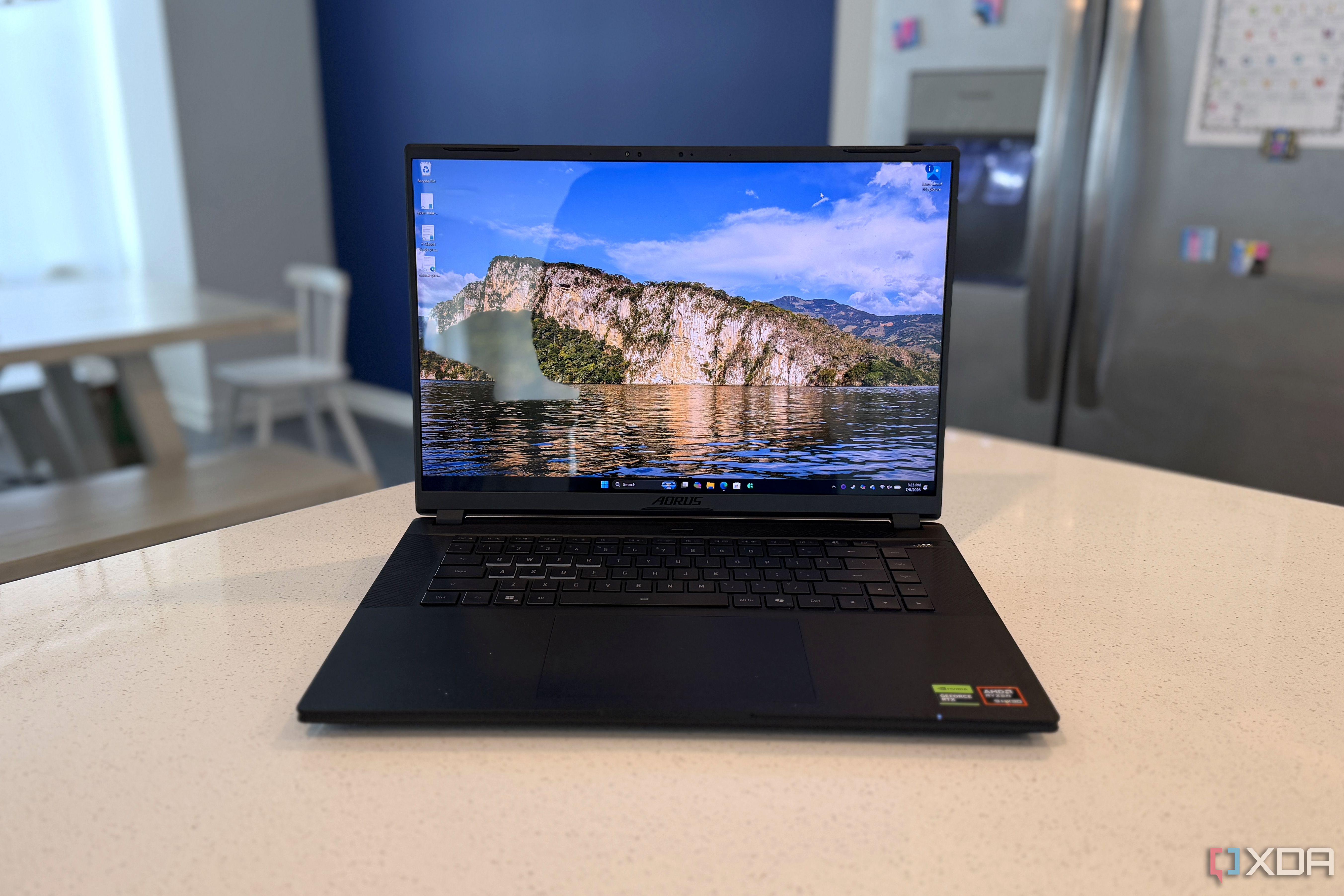
The overall laptop market is moving towards smaller and lighter devices, while gaming laptops have mostly decided that bigger is better. There are some bucking that trend, like Razer with the Blade line, and now Gigabyte. The Aorus Master 16 Gen 2 is a packed powerhouse in a slim chassis, with AMD’s best mobile chip, the Ryzen 9 9955HX3D, and a choice of Nvidia graphics chips. And while you don’t get two displays like the Asus ROG Zephyrus Duo, you do get a stunning, fast OLED display with high color coverage and HDR True Black 1000. That makes all the difference for how well this thing performs in games, but the cooling system has to work overtime to keep things cool, and the fans get painfully loud. That might not bother you if you have ANC headphones for gaming, but it’s worth mentioning to those around you while you do. About this review: Gigabyte sent XDA the laptop used in this review and had no say in its contents.
7.5/10
Operating System
Windows 11
CPU
AMD Ryzen 9 9955HX3D (128MB cache, up to 5.4GHz, 16 cores, 32 threads)
GPU
Nvidia GeForce RTX 5070Ti, 5080, 5090
RAM
Up to 64GB DDR5 5600MHz
The second-gen Aorus Master 16 is a powerful gaming laptop full of contradictions. It has one of the best OLED displays we’ve tested on a laptop, but the glossy coating might put some buyers off. The gaming performance is strong, but so is the fan noise. If those things don’t put you off, this is a solid choice for a slim gaming laptop.
Pros & Cons
AMD’s Ryzen 9 9955HX3D is a beast
Gorgeous OLED display with True Black 1000
Solid gaming performance
Battery life is lacking
Very loud cooling fans
Gigabyte Aorus Master 16 (AMD version): Price, specifications, and availability
The Gigabyte Aorus Master 16 (AMD version) is now available from the usual mix of Best Buy, Amazon, Newegg, and other major electronics retailers. It uses the new AMD Ryzen 9 9955HX3D CPU on all models, and a choice of Nvidia GeForce RTX laptop GPUs, up to the RTX 5090, with a dedicated MUX switch. As reviewed, we had the RTX 5090 version with 2TB of SSD and 32GB of RAM, currently retailing for $4,900.
CPU
AMD Ryzen 9 9955HX3D (128MB cache, up to 5.4GHz, 16 cores, 32 threads)
GPU
Nvidia GeForce RTX 5070Ti, 5080, 5090
Display type
OLED
Display (Size, Resolution)
WQXGA (2560×1600), 240Hz, DCI-P3 100%, 1000 nits peak HDR, FreeSync, MUX Switch, DisplayHDR True Black 1000, ClearMR 10000, Dolby Vision, Pantone Validated
RAM
Up to 64GB DDR5 5600MHz
Storage
Up to 4TB PCIe NVMe M.2 SSD (1x Gen 5, 1x Gen 4 slots)
Battery
99Wh Li-ion
Charge speed
330W AC adapter
Ports
1x RJ-45, 1x HDMI 2.1, 2x USB-A 10 Gbps, 1x USB-4, 1x USB-C 10 Gbps, 1x MicroSD card, 1x 3.5mm audio jack
Operating System
Windows 11
Webcam
FHD (1080p) IR webcam
Cellular connectivity
No
Wi-Fi connectivity
Wi-Fi 7
Bluetooth
Bluetooth 5.4
Form factor
Clamshell
Dimensions
357.2 x 255.3 x 19~24.5 mm
Weight
2.3kg
Speakers
4x 2W, Dolby Atmos
Colors
5-degree black
Pen compatibility
No
This is one slim gaming beast
And everyone around you will know it
The Gigabyte Aorus Master 16 might look slimline, but the laptop tops the scale at just over 5 pounds, and that’s not including the 330W power brick, which weighs almost another two pounds. Still, it’s the slimmest gaming laptop with the AMD Ryzen 9 9955HX3D processor (for now), and I’m pretty sure most of that weight is in the cooling system. That’s because the laptop is clad in an aluminum-magnesium alloy, which is the go-to for strength and weight reduction in ultraportables. There’s no space for a mechanical keyboard, and the island-style keys are spaced well enough, if a little spongy. The glass touchpad without haptic feedback is also expected for a gaming machine, although I do love haptics. Even though this laptop is slim (under 1 inch at the thickest point), you still get a full-size HDMI 2.1 port, two USB-A 10 Gbps ports, and two USB4 ports. Plus, a rare gigabit Ethernet port, so you can’t blame your performance on Wi-Fi 7 slowing you down. And lest anyone think you’re not a gamer, there’s an RGB lightbar on the front edge, the Gigabyte logo glows, and there’s a projected Aorus logo on the back edge. The included speakers are a little tinny-sounding and don’t fill the room with sound. Not that you’ll be using them because of the cooling system’s noise, but it does mean you’ll need headphones for everything, including meetings.
Related
Alienware finally gave the Area-51 the OLED screen it should have had from the start
It’s just a shame it’s so darn expensive now
The OLED display is a show-stopper
HDR True Black 1000 should be on every screen
The OLED on the Gigabyte Aorus Master 16 Gen 2 is the main reason to buy this. Seriously. You can get similar levels of performance elsewhere for every other aspect, but this is the first VESA DisplayHDR True Black 1000 panel I’ve tested, and it’s stunning. It has a 2560×1600 (16:10) resolution, a 240Hz refresh rate, and FreeSync support. There’s no touchscreen to get in the way, although the panel is glossy, and that’s the only thing I can knock it for. It covers 100% of sRGB and P3, and 93% of AdobeRGB, a perfect 2.2 gamma curve, and stays around the 6500 Kelvin area once you get past 30% brightness. Peak brightness in SDR was measured at 556.9 nits, and I can easily see it going past the stated 1,000 nits in HDR. It’s accurate too, with luminance and color all under deltaE 2.0 (for context, anything under 3.0 is supposedly indistinguishable by our eyeballs).
Related
AMD doesn’t care about Intel anymore — the Ryzen 9 9950X3D just wins
The Ryzen 9 9950X3D is the best of both worlds, offering chart-topping performance in both gaming and productivity.
The Ryzen 9 9955HX3D is a beast
But you’ll want to wear ANC headphones
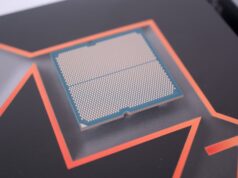
AMD’s Ryzen 9 9955HX3D is the laptop version of the Ryzen 9 9950X3D, and it flies along. It does get rather warm in the laptop, topping out at 96C, but the performance is stellar. This is an unapologetically powerful laptop, and I just wish it came with more system RAM. You can upgrade it yourself, up to 64GB with two SO-DIMM sockets, and that’s probably a good idea. The only CPU I’ve tested that this doesn’t beat is the Snapdragon X2 Elite Extreme, but that one is suited to general productivity tasks, while the Aorus Master 16 is designed for gaming with either an Nvidia RTX 5070 Ti, 5080, or 5090 mobile chips.
Gigabyte Aorus Master 16 Gen 2 (AMD Ryzen 9 9955HX3D, RTX 5090)
Asus ROG Zephyrus Duo (2026) (Intel Core Ultra 9 386H, RTX 5090)
Lenovo Legion 9i 2025 (Intel Core Ultra 9 275HX, RTX 5080)
HP Omen Max 16 (Intel Core Ultra 9 275HX, RTX 5090)
Lenovo Legion Pro 7i (Core Ultra 9 275HX / RTX 5080)
Asus ROG Strix G18 (Core Ultra 9 275HX / RTX 5080)
PCMark 10
10,076
9,428
9,954
8,555
—
9,003
Geekbench 6 (single/multi)
3,180 / 19,966
2,862 / 17,015
2,958 / 19,866
3,072 / 19,467
2,343 / 16,399
2,981 / 18,313
Cinebench 2024 (single/multi/GPU)
129 / 2,129 / –
125 / 1,230 / –
132 / 2,145 / –
130 / 1,948 / –
135 / 2,079 / —
137 / 2,168 / –
Crossmark (overall)
2,220
2,164
2,290
2,276
—
—
3DMark Time Spy Extreme
11,711
8,473
11,461
12,408
11,054
11,019
Price
$4,900
$5,500
$4,210
$4,500
$3,200
$2,500
As you might expect, gaming performance is topping the charts as well. Cyberpunk 2077 at native resolution and Ray Tracing Low was humming along at an average 100 FPS, while Forza Horizon 6 zoomed into first place with an average of 94 FPS on the Extreme setting. I have no issues with the hardware performance in this laptop, and I expect it will perform similarly in any game. Nobody expects a gaming laptop to have decent battery life, but you do expect some time away from the wall socket. The Aorus Master 16 lasted just over two hours on our battery test at 200 nits of brightness. That was with the GPU enabled, so you might get some extra time with only the iGPU running, but the iGPU in this CPU is very slow, and I don’t recommend it. But you don’t expect the fans to sound like they’re about to take off, and unfortunately, that’s what happens here. To keep the AMD Ryzen 9 9955HX3D under 96C under load, the system goes into overdrive. I don’t generally test decibel levels because they’re hard to measure consistently, but the fans in the Aorus Master 16 are 84 dB with the microphone next to the keyboard and 62 dB at 1 meter. That’s not a comfortable noise level for anyone, and the fans ramp up even on the desktop when you open a browser or perform any general task.
Related
Lenovo Legion 9i Gen 10 review: Ditch your desktop
This is a big, bold gaming laptop that’s unapologetic about anything
Should you buy the Gigabyte Aorus Master 16 (AMD version)?
You should buy the Gigabyte Aorus Master 16 (AMD version) if:
You want a gorgeous OLED display
You want a powerful but slim gaming laptop
You like the gamer aesthetic
You should NOT buy the Gigabyte Aorus Master 16 (AMD version) if:
You work in an open-plan office
You don’t wear headphones while you work or game
You don’t like the placement of the power input
The Gigabyte Aorus Master 16 is a portable powerhouse that delivers the FPS you crave in your favorite AAA titles and beyond. It pulls no punches with performance, and the only question mark is how you feel about the noisy fan system. If that’s not an obstacle, you won’t get a better-performing laptop this year.
The Gigabyte Aorus Master 16 is a portable powerhouse that delivers the FPS you crave in your favorite AAA titles and beyond.
However powerful the internals are, the display is even better. This is the best laptop display I’ve seen, ever. It’s close to the best display I’ve seen, whether on a TV, a projector, or a desktop monitor. It’s bright, colorful, and accurate, with one caveat. The glossy screen will put off some buyers, even if it’s not as reflective as you might think.
7.5/10
CPU
AMD Ryzen 9 9955HX3D (128MB cache, up to 5.4GHz, 16 cores, 32 threads)
GPU
Nvidia GeForce RTX 5070Ti, 5080, 5090
Display type
OLED
Display (Size, Resolution)
WQXGA (2560×1600), 240Hz, DCI-P3 100%, 1000 nits peak HDR, FreeSync, MUX Switch, DisplayHDR True Black 1000, ClearMR 10000, Dolby Vision, Pantone Validated
Diterbitkan : 2026-07-13 13:01:00
sumber : www.xda-developers.com