
Stop enabling DLSS until you’ve checked these 7 in-game settings first
When frame rates start to dip, the modern reflex is to open the graphics menu and flip on DLSS. It works, and there is nothing wrong with using it. But reaching for it first means accepting a reconstructed image before checking whether the missing frames were sitting in the settings menu the whole time. Most players run whatever preset the game auto-detects at launch, and “ultra” presets have a habit of spending a disproportionate slice of the frame budget on the final quality tier of a few specific effects, for a difference that is genuinely hard to notice once a scene is in motion. The seven settings below are where that performance budget tends to hide.
Related
DLSS 5 is further proof that rasterization’s days are numbered
For better or worse, rasterization continues to be buried, and it won’t be long until games are unrecognizable
Shadow quality
An overlooked killer of performance
Shadows are consistently among the most expensive settings in a modern game, and the top quality tier is usually the worst offender for cost relative to benefit. Rendering dynamic shadows effectively means drawing the scene a second time from the light’s point of view to build a shadow map, so higher shadow resolution and longer shadow draw distance both add real work every frame. Dropping shadows from ultra to high commonly recovers somewhere in the range of ten to fifteen percent, and in a few heavy open-world titles the ultra-to-medium jump has been measured higher still. The visual trade is subtle in practice: slightly softer shadow edges and a shorter distance before shadows fade in, rarely something a player notices while actually moving through a level. This is the first setting to step down.
Related
Path tracing is slowly becoming a non-negotiable for me, and it wouldn’t be possible without DLSS
Never thought I’d say this, but if it’s got path tracing, I want it on.
Volumetric lighting, fog, and ray-tracing
These three are lumped in
Volumetric effects like god rays, volumetric fog, and volumetric clouds are frequently as demanding as shadows, because they sample how light scatters through a volume of air per pixel and scale hard with resolution. The payoff is atmospheric but the performance hit can be really tough, especially for something that’s a bit situational. The heavier relative in this family is ray-traced global illumination, which some recent titles expose as a lighting option. Real-time GI is one of the most transformative settings for scene realism and also one of the most expensive on the entire menu, with ray tracing broadly capable of cutting frame rates by a third or more. For a player chasing frames without an upscaler, a ray-traced lighting toggle is usually the single biggest lever available, and the rasterized fallback in most games released in the last few years looks closer to the ray-traced version than the performance gap suggests.
Related
4 reasons why Nvidia’s DLSS is ruining PC gaming
DLSS works like magic, but it’s actually making your games worse
Ambient occlusion
A type of shadow that has a noticeable impact on visuals and performance
Ambient occlusion adds the soft contact shadows where surfaces meet, and its cost depends heavily on the method. Screen-space implementations such as SSAO are relatively cheap and worth keeping, while more advanced options like HBAO+ or GTAO cost more, and ray-traced AO is especially demanding. The truth is, the difference between the mid and high tiers of AO is often hard to spot in normal play, so stepping it down a notch is a low-regret change. If a game offers a ray-traced AO option specifically, you should avoid it if performance is suffering.
Related
Nvidia’s DLSS 4.5 is a huge visual upgrade, but there’s a catch
It’s a cost not everyone would be comfortable paying.
Reflections
If you can handle a drop in quality, this is another one worth turning the knob on
Reflections are where a little more care is warranted, because they are more noticeable than most effects on this list. Screen-space reflections at their highest setting carry a moderate cost, and ray-traced reflections are a well-known frame sink. The reasonable move is to lower reflection quality a step rather than switch it off, and to treat ray-traced reflections as an optional layer to enable only with headroom to spare. This is the setting a visually particular player is most justified in protecting, so it belongs on the list as a considered trade rather than an automatic cut.
Related
DLSS 4.5 is expensive, but it’s the best thing to happen to my aging RTX PC
The upside is remarkable, but the cost isn’t equal for all.
Anti-aliasing
The last line of defense before upscaling
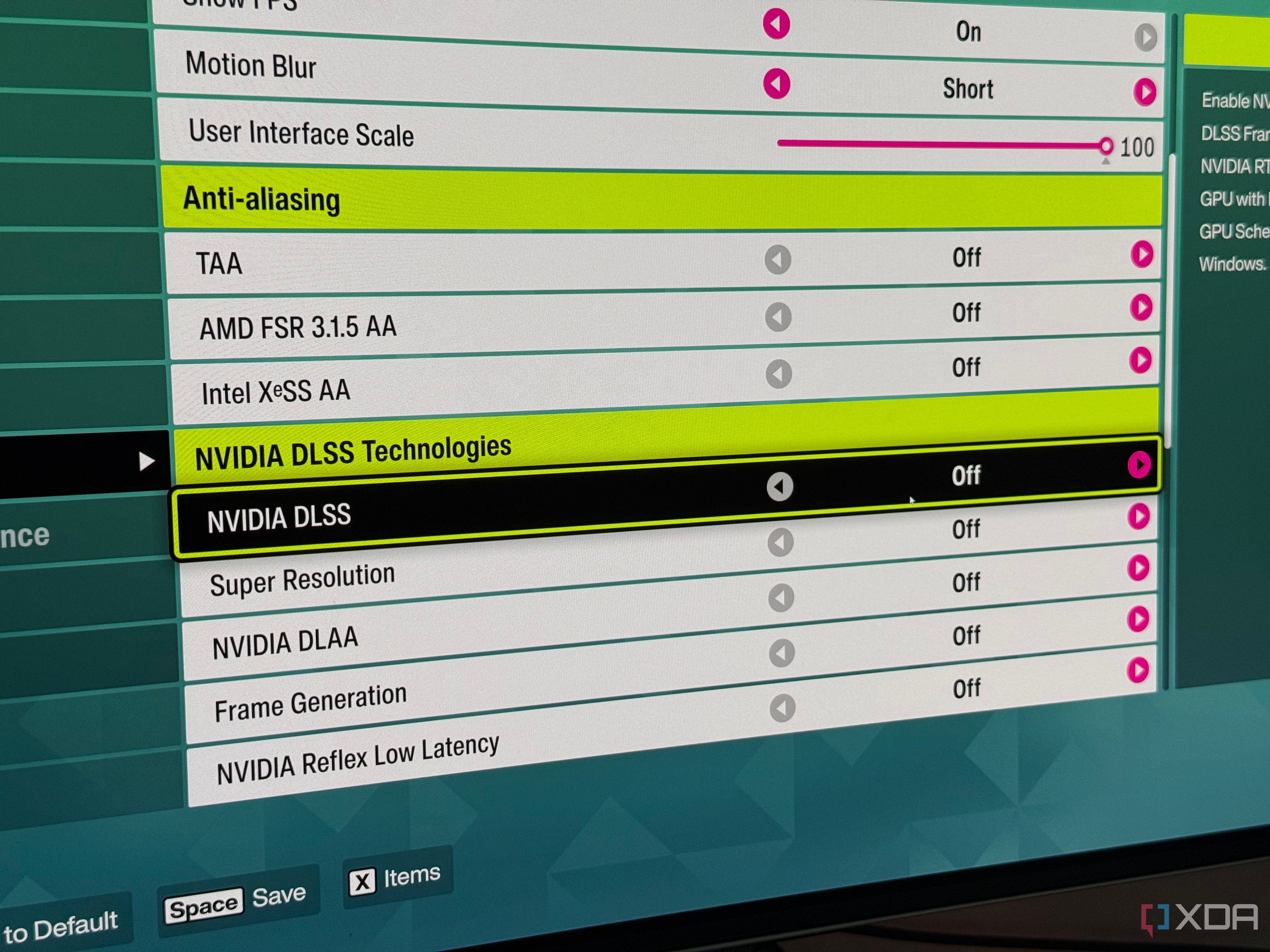
Anti-aliasing is possibly the last line of defense worth playing with before upscaling in a non-VRAM limited scenario. If a title offers MSAA, switching to a temporal method can recover a large chunk of frames, because MSAA multiplies sampling cost while temporal anti-aliasing runs far cheaper. The caveat is that MSAA has largely fallen out of modern games built on deferred renderers, where it breaks with the pipeline, so this mainly applies to older or simpler titles that still list it. TAA isn’t free, either, and it doesn’t look great in my opinion. Your mileage may vary, and if playing with this setting doesn’t net you much in your specific title, upscaling may be the answer, since clean anti-aliasing is baked into DLSS and FSR anyway.
Related
4 GPUs you should buy instead of the RTX 5080
Don’t settle for what Nvidia is offering.
Worth a quick trial-and-error check
The bottom of the menu is worth a quick sweep. Motion blur, chromatic aberration, and film grain are cheap to render and largely a matter of taste, so turning them off is low-regret for the many players who dislike them anyway rather than a meaningful performance play. Depth of field and high-quality bloom sit in a different category, since they can cost real frame time depending on the implementation. Grouping these into a single pass at the end catches a few easy frames and cleans up the image at the same time.
Related
Ray tracing looks incredible, but I still turn it off for this reason
Even with upscaling and frame generation, ray tracing is still a compromise.
Texture quality
If you’re limited in VRAM, this is where you go
The setting most people instinctively lower is often the one they should not touch. Texture quality is mostly bound by video memory rather than raw GPU compute, which means that on a card with enough VRAM, high or even ultra textures frequently cost close to nothing in frames while remaining the single most visible detail in the game. Lowering them to chase performance usually sacrifices the most obvious visual upgrade available for frames it was never actually costing.
The important exception is when VRAM is already saturated: at that point, textures are exactly the setting that will tank performance, producing stutter and collapsing one-percent lows as the system swaps assets to slower system memory, and this can happen over the course a gameplay session, not always right away.
Related
I tested DLSS on a mid-range GPU, and native resolution suddenly felt pointless
DLSS 4.5 made brute-force rendering feel unnecessary
DLSS is great, but there are other settings worth tweaking
The goal isn’t to swear off DLSS for good, but to recover frames in other ways before resorting to a “performance” upscaling preset. Upscaling remains the single most effective way to recover frames, and stacking it on top of a well-tuned settings profile is a perfectly good outcome, but reaching for it first skips past a set of free wins and leaves you accepting a reconstructed image when native sharpness might still be on the table.
Diterbitkan : 2026-07-12 16:00:00
sumber : www.xda-developers.com