
These 7 smart home jobs don’t need a Raspberry Pi — an ESP32 does them for $5
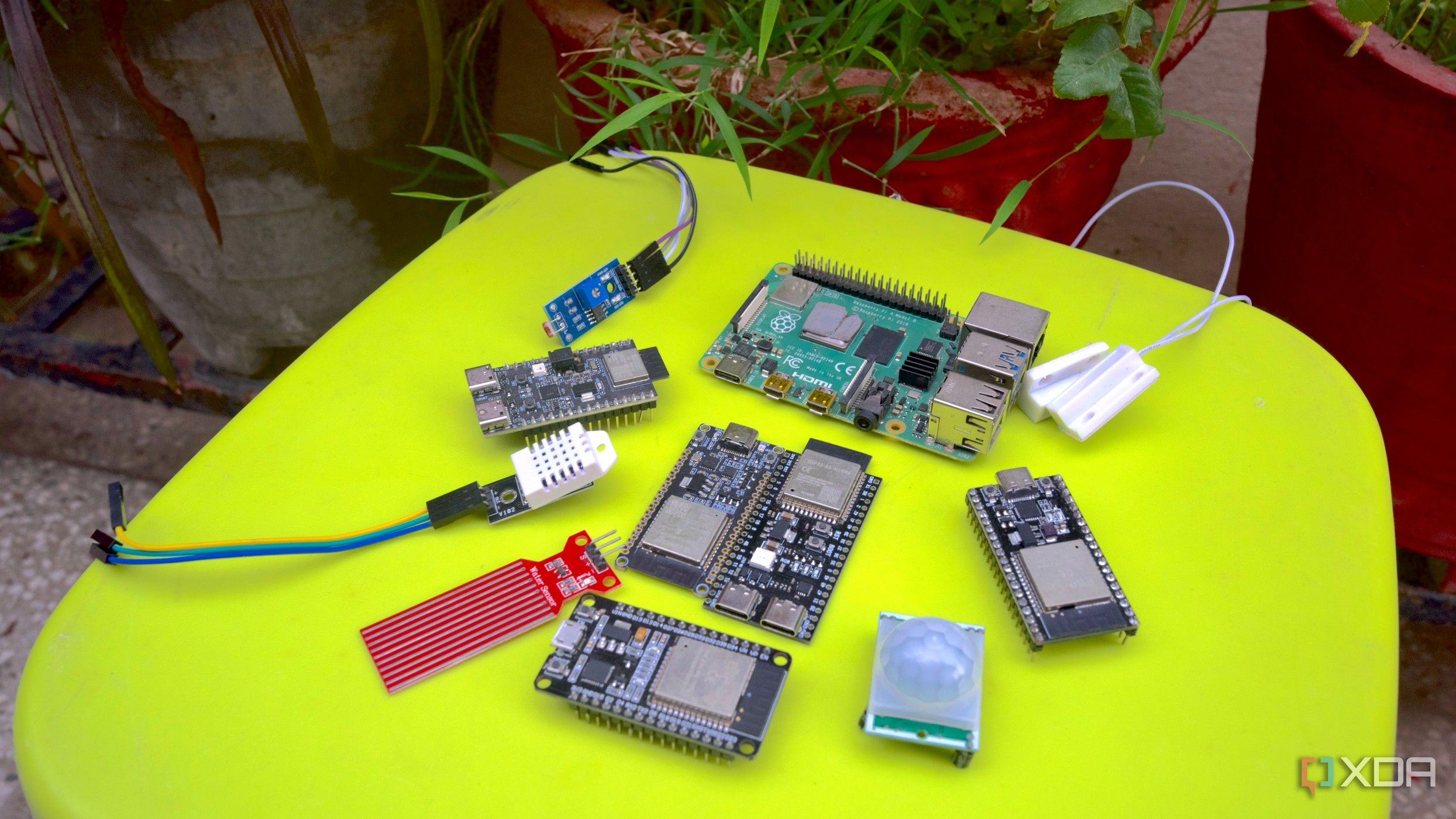
Moving Home Assistant from the Raspberry Pi 4 to an HP ProDesk 600 G6 mini PC was one of the best calls I’ve made for my home lab. That left the Pi 4 free, and my first instinct was to hand it a new job, starting with a small sensor node for a small home experiment. Before long, I was reaching for ESP32 boards instead of the Pi, job after job around the house. That’s when it hit me: I was about to use a full Linux computer just to flip a switch. I held off on using the Pi 4 for IoT projects and picked up the ESP32 instead. For single-purpose IoT jobs, microcontrollers get it done at a fraction of the cost, without an OS, a microSD card, or a cooling fan to manage. Here are the smart home jobs I’d reach for an ESP32 board before buying another Raspberry Pi at today’s prices.
Related
5 projects you can do for much cheaper with an ESP32 than a Raspberry Pi
Why spend extra on a Raspberry Pi when you can build these cool projects with an ESP32?
Why the Pi vs ESP32 isn’t a fair fight for some jobs
Different jobs require different tools
A Raspberry Pi with a full Linux OS is great for self-hosted software, but the same overhead gets in the way when it’s meant to just read a sensor or flip a relay. An ESP32 board, by comparison, costs between $3 and $10, boots instantly with no OS to load, and draws so little power that builds run for months on a single battery. Flash it with ESPHome, and it will automatically show up in Home Assistant. The only trade-off is that an ESP32 can’t really compute much. That’s rarely an issue for single-purpose jobs. But I can live with that since I was never going to run a database on a board, anyway.
Temperature and humidity monitoring across the home
One board per room without the guilt
I once thought that deploying a Raspberry Pi in every room was the only way to accurately track temperature and humidity. But at the current prices of the Pi models, kitting all rooms felt wasteful. So I never went through with it. An ESP32 with a cheap BME280 sensor turned out to be a pocket-friendly solution. Each such node, deployed in every room, feeds directly into Home Assistant via ESPHome. The microcontrollers and sensors don’t cost a lot and consume very little power. Now, every room I’d ever bothered putting a Pi in has its own sensor.
Bluetooth proxy and Zigbee for better mesh coverage
Turning a $5 board into a range extender
My Zigbee mesh and Bluetooth presence detection setups had dead zones. Previously, I routed the USB Zigbee dongle and a Bluetooth adapter through the closest Pi to extend the radio range. Now, I use a couple of ESP32 boards and flash ESPHome’s Bluetooth proxy firmware to fix those dead zones. Those boards are scattered around the house to relay the Bluetooth Low Energy devices back to the Home Assistant. With ESPresense and Bermuda already in place, I no longer lose track of my smartwatch or earphones.
Presence and motion detection nodes
Aiming for accuracy
When camera-based options are involved in motion and presence detection, that’s when I felt I needed the Pi’s real processing power. But I wasn’t going to install a camera in every room. I wanted a reliable setup that gave a yes-or-no signal. I started with a basic PIR sensor on an ESP32, but it struggled with stationary presence. Things got better when I swapped out the PIR sensor for an mmWave sensor. It detects micro-movements like breathing and feeds that data to Home Assistant, which helps drive the lighting and HVAC automations.
Proper irrigation and gardening routine controller
From detecting soil moisture to sprinkler routines
For a while, the Pi’s GPIO pins ran my soil moisture sensor and sprinkler relay. It worked fine, but using a Pi for a scheduled water routine was overkill. An ESP32 running on basic 5V power, tucked into a small enclosure, does the same job. If it gets soaked in the rain, I lose a cheap board and a soil hygrometer sensor, and not a Pi.
Water level monitoring for tanks
Checking outdoor water levels
I used to dread walking through the garden and checking if it was totally empty. Using a Pi to check the water levels sounded great. But weatherproofing a full computer became an actual task, especially since the Pi 4 requires a 15W power supply. An ultrasonic sensor on an ESP32 reports the water level to Home Assistant at regular intervals. Also, it can trigger the pump to shut off once the tank’s full. There’s no need for a 15W power supply or a waterproof enclosure specifically for this sensor node.
Water leak sensor inside the house
Alert I’d rather never need
Building a water leak sensor using a Raspberry Pi never made sense. Tucking a full computer behind a cabinet just to poll for water or humidity readings is overkill. That’s a lot of overhead for a small leak that could go unnoticed for weeks.
A simple leak sensor with an ESP32 tucked behind the sink or next to the washing machine handles that instead. It wakes up from a deep sleep state the moment it touches water, skipping all polling delays. So Home Assistant alerts instantly. It’s $5 I’m happy to spend on a sensor that alerts instead of not having any reports.
Sensor to check if the garage door or mailbox is open
Months of battery life that a Pi can’t promise
Credit: OUKITEL
Checking whether the garage door or mailbox was left open used to mean either walking over to look or dedicating an entire Pi just to watch a switch. A reed switch wired to an ESP32 solves this properly. All it does is detect whether the garage door or mailbox is left open when it can’t complete the circuit. The board wakes up only when the state changes and can run for months on a single battery. Meanwhile, a Pi could barely last a day or two.
Related
4 amazing projects you can build with a Raspberry Pi and an ESP32
Looking for some cool DIY ideas involving a Raspberry Pi and ESP32 combo? We’ve got you covered!
The real trick is to match the chip to the task
I still reach for my Raspberry Pi whenever a job needs computing power, like setting up a network monitoring stack. For everything else, the Pi no longer needs to be involved. I no longer grab a Pi out of habit. These seven jobs now run on ESP32 boards that collectively cost less than a new Raspberry Pi while drawing a fraction of the power.
Brand
AITRIP
Connectivity Features
UART, USB
The ESP32 is a fantastic development board that combines solid specs with an affordable price. Despite being cheaper than Arduino and Raspberry Pi Pico, it outperforms most of its rivals. Plus, the ESP32 even has Wi-Fi and Bluetooth functionality built into every board, making it great for projects where you can’t physically keep the microcontroller connected to your PC at all times.
Diterbitkan : 2026-07-12 15:01:00
sumber : www.xda-developers.com