

COSMIC just hit version 1.2, and it’s quietly doing things GNOME and KDE still make you fight for
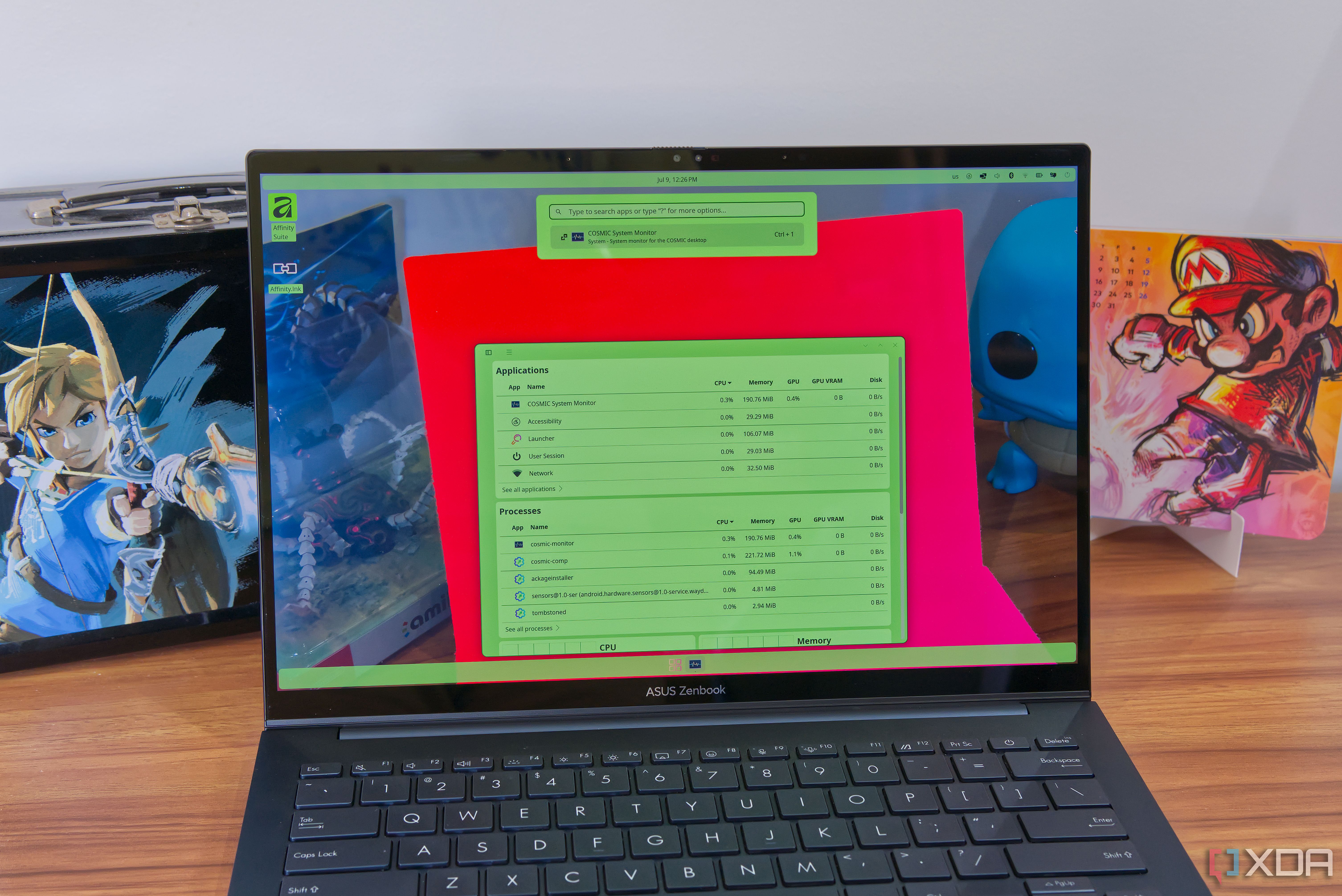
The world of Linux desktops is rich and varied, with plenty of options to suit your preferences. But while KDE and GNOME dominate the landscape, a relative newcomer is starting to make waves with features other desktops still don’t fully support. It’s called COSMIC, and it recently hit version 1.2. This desktop environment just keeps getting better, and it’s quickly establishing itself as a major competitor to long-standing alternatives. It’s already the default desktop in Pop! OS (made by the same company as COSMIC itself), but you may see it show up in even more distros at this rate.
Wait, it’s all Rust?
Always has been
Linux has slowly been undergoing a transition from a lot of C-based code to a new language called Rust, designed to be more stable and secure. At its core, Rust is designed in a way that prevents most, if not all the memory-related errors that can affect software coded in C, which is the case with most other Linux distros, and even the Linux kernel itself. Right off the bat, that means COSMIC is much less prone to crashes due to memory errors, but it gets deeper than that. Some of those memory errors can sometimes be exploited by malicious agents to target your system and potentially compromise your data. By removing those vulnerabilities, Rust also makes your system more secure. Linux 7.0 was the first release of the kernel to officially support Rust, but COSMIC has been all-in on Rust since the very beginning, and COSMIC 1.1 finally stripped all the leftovers of C language from the desktop. It no longer has any traces of Nautilus (the GNOME file manager), and the there’s now a COSMIC-native system monitor to replace the GNOME System Monitor, so you have even fewer chances of being afflicted by C-related problems.
Related
I switched to the COSMIC Linux desktop, and I can’t wait for the future
COSMIC is out of this world, even with its flaws
Stacking windows
Everything is a tab (if you want it to)
As someone who used to love following Windows news, one of the most disheartening announcements was when Microsoft gave up on Sets, a feature that essentially turned every app window into a tab you could combine with other apps in the same window. I never thought I’d see that feature again, until COSMIC came along. Simply called “stacking”, COSMIC has a feature that is exactly what Sets was supposed to be, though this time, you have more control. By default, apps still open in their proper, typical windows, with a title bar as you’d expect. But if you do want to combine multiple apps into one, you can right-click the title bar (or press Super + S) to enable stacking for that window. Then, simply drag another window over that one to start stacking them as tabs. This essentially gives you a whole new way to create “workspaces”, as you can have a single window with all the tools you need, so you don’t need to jump between different windows all the time, and you can keep a given window focused on a specific workload, but have multiple apps within it. It’s a great reminder of what Microsoft took from us, too.
Related
6 canceled Windows features that didn’t get the respect they deserve
These features could have been so much better
Tiling, but on-demand
An unprecedented level of control
Tiling windows is one of those features some power users simply love, and yes, there are ways to make it happen on KDE and GNOME with third-party apps or extensions, but those aren’t ideal. It’s an extra step to set them up, and very often they don’t play nice with all the features those desktops offer, especially as new updates come out and those tools may have a hard time keeping up with the development of the desktops themselves. COSMIC is fantastic because not only does it have built-in window tiling, it’s entirely controllable by the user. You can set any workspace to use tiling or floating windows depending on your preference, all completely independent of each other, and you can also choose the new default behavior for new workspaces so things are always tuned to your preferences. You can turn tiling on or off for a given workspace easily, and of course, even while tiling is on, you can allow certain apps to ignore it and still float above others. Not all these capabilities are exclusive to COSMIC, but to have this kind of feature built in with this level of control is still leagues better than anything KDE or GNOME offer in this regard.
Related
I switched to a tiling window manager, and I can’t go back to floating windows
I stopped rearranging my desktop and started using it.
Easy customization
It’s not that hard
Another thing COSMIC does especially well is giving users customization options for the desktop that are truly easy to use and configure. GNOME and KDE are basically polar opposites in this regard: GNOME has next to no customization options until you dive into third-party extensions, which can easily break things; meanwhile, KDE has tons of advanced themes that can change everything about your system’s appearance, but KDE themes are actually quite complex, so it’s not uncommon for you to see a theme you like but then parts of it fail to install or be properly applied. In either case, getting a look you like is a lot of work. COSMIC makes customization extremely simple without stifling your options. By just changing a handful of color options to any value you want, you can completely tweak the look of your desktop. Since you can choose essentially any color you want and it affects the majority of apps on your desktop (along with the dock and other UI elements), it only takes seconds to get a look that’s completely unique to you. And because it’s such a simple system, it’s very easy to share a theme, too.
Combine that with a few simple options for things like rounded corners, UI density, and fonts, and it’s very easy to have something that works perfectly for your tastes.
Related
I tried Linux Mint as a lifelong Windows user, and the customization blew me away
Linux Mint is on a whole different level
It keeps getting better
COSMIC 1.1 introduces even more tools
Many of these capabilities are things COSMIC has been able to do from the beginning, but the desktop is also evolving quickly and catching up in areas where the initial release feel behind a bit. I already mentioned the new COSMIC Monitor above, but it’s worth noting that it’s a great system in its own right. It’s much better at showing detailed information about everything from processes to network and disk usage compared to the GNOME and KDE alternatives. COSMIC 1.1 also introduced recursive wallpaper scanning to enable slideshows to use images other than the default wallpaper folder, and new releases are very frequent to introduce all kinds of fixes and smaller improvements. The initial release of COSMIC didn’t have window shadows, but that’s been addressed in recent updates, for example.
COSMIC could be your future desktop
With its fast pace of evolution and a very strong foundation to build upon, COSMIC has set itself up to be one of the top Linux desktops out there. It’s already doing a lot of things other popular options can’t, and it’s only going to get better as time goes on. I’d say it’s worth a shot if you like trying new things, and you may just end up wanting to stick with it.
Diterbitkan : 2026-07-11 13:00:00
sumber : www.xda-developers.com